How it works
A day at Sunrise Clinic, step by step in Vitels.
Vitels is clinic management software for single-doctor and small multi-doctor clinics in India. Here is one OPD day at Sunrise Clinic, our sample clinic, from the first registration to the day book, including the hour the internet goes down.
Registration at the front desk
Receptionist
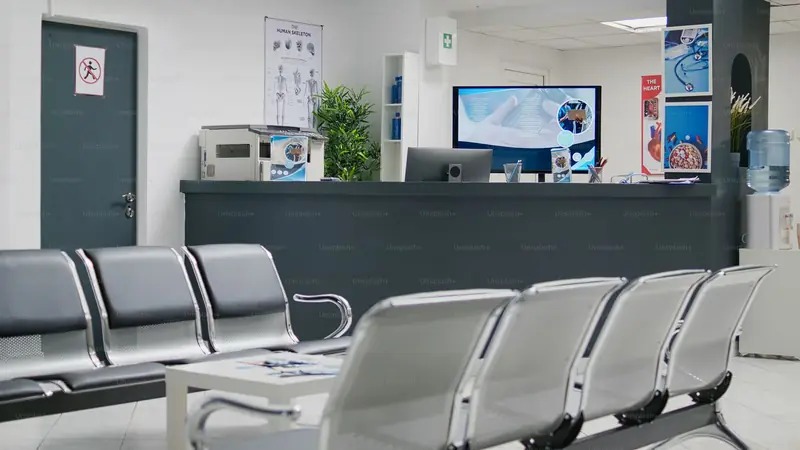
The first patient of the morning gives a phone number. The receptionist searches by that number, or by name, before creating anyone, so nobody is registered twice. Every family member already on that number shows up, and a new member is added to the same number.
A patient under 18 is registered with a guardian. The registration notice, in English or Hindi, tells the patient what the clinic records and why.
- Search by phone or name before creating
- Several family members on one phone number
- Registration notice in English and Hindi
A token in the day's queue
Receptionist and doctor
Registered patients go into today's queue with a token number and a doctor. The receptionist can move a patient up for an emergency, reorder the list, or mark someone as stepped out without losing their place.
The doctor's screen shows the patient in the room, the next three, and the rest folded away. Both screens stay in step, so the desk does not have to shout the next name. If the clinic switches it on, an 80 mm token slip prints with the number of patients ahead and an approximate wait.
- Daily tokens shared by desk and doctor
- Priority, reorder and stepped out
- Optional printed token slip
Consultation and the prescription pad
Doctor
The doctor opens the patient on one screen: allergies, long-term conditions, the last visit and its prescription on the left; complaints, diagnosis and optional vitals in the middle; the prescription pad on the right. Complaints and diagnoses autocomplete from the doctor's own past visits.
Medicines come from a drug search, the doctor's favourites or a saved multi-drug template. For a repeat visit, three keys do it: Start, F4 to repeat the last prescription, Ctrl+Enter to save and print. Vitels records what the doctor decides. It never suggests a diagnosis or a drug.

- History beside the pad
- Favourites and templates for each doctor
- Repeat visit: Start, F4, Ctrl+Enter
The prescription prints on the clinic letterhead
Doctor
The prescription prints on A5 or A4 with Sunrise Clinic's own letterhead, logo and the doctor's registration number. There is no Vitels branding on it, no advert and no pharmacy name.
A preview shows the page before it prints, and every change is saved to the device as it is typed, so a crash or a reload does not lose the prescription.
- A5 or A4, the clinic's letterhead
- Doctor's registration number on every print
- No vendor branding
The bill and the receipt
Receptionist
The consultation fee fills in from the doctor's or the clinic's default. The patient pays by cash, UPI or card at the desk, and an A5 receipt prints.
Once a bill is saved, its amount cannot be edited by anyone. If the desk made a mistake, the bill is voided the same day with a reason and a new receipt is issued, so the record keeps both. Vitels does not take payments online.
- Cash, UPI or card, recorded at the desk
- A5 receipt
- Saved amounts are locked; void with a reason
The day book
Receptionist and owner
At the end of OPD the desk prints the A4 day book: the day's collections with totals for cash, UPI and card. The cash total is what should be in the drawer, and the UPI total is what the bank app should show.
- A4 day book
- Totals for cash, UPI and card
- Printed at closing
Reports for the owner
Clinic owner
Reports show patients and collections by day, week or month, by payment mode, and the count of patients for each doctor. A follow-up due list shows who was asked to come back. The revenue page lists every transaction, searchable, with a per-doctor split for clinic admins.
A clinic admin can also download all of the clinic's data as CSV files at any time, without asking Vitels.

- Patients and collections by day, week or month
- Per-doctor counts and follow-ups due
- Full CSV export, any time
The day keeps going offline
Everyone
Sunrise Clinic's connection drops in the late-morning rush. The queue, the consultation, prescription printing and billing keep working on the computers already signed in. The header shows what is waiting to sync, and it goes up by itself when the connection returns.
Registering a brand-new patient needs a connection, so the desk adds the newcomer once the internet is back. Patients already registered and in today's queue are on the device.
- Queue, consultation, print and billing work offline
- Waiting changes shown in the header
- New patient registration needs a connection
Each step, in more detail.
About the clinic day.
Is Sunrise Clinic a real clinic?
No. Sunrise Clinic is the sample clinic we use to show Vitels. No real clinic, doctor or patient is shown on this page.
What works without internet?
The queue, consultation, prescription print and billing. Registering a new patient needs a connection. Changes made offline sync when the connection returns.
Does Vitels suggest diagnoses or medicines?
No. Vitels records the doctor's decisions and makes repeating them faster. It has no clinical decision support, drug-interaction checks or dosage suggestions.
What does Vitels cost?
Core Vitels has no licence fee, no per-doctor fee and no per-patient fee. Vitels Pro, for more than one doctor, is ₹999 per clinic per month with a 14-day free trial.