E-prescription software
E-prescription software for doctors in India that prints on your letterhead
A digital prescription pad built to be quicker than writing by hand: drug search as you type, strength, form, frequency, duration and instructions in one line, quantity computed, favourites and templates per doctor, and a clean print on your own letterhead. Works offline.
At a glance
- Repeat visit
- Three steps
- Drug search
- Shared list plus clinic medicines
- A4 or A5, eight lines per page
- Branding on print
- Only yours
- Offline
- Write, save, print
- Clinical checks
- None, by design
What is e-prescription software?
E-prescription software lets a doctor write a prescription on a screen instead of paper: pick the drug, strength, form, frequency and duration, add instructions, and print or save it. Done well, it is legible to every pharmacy, kept with the patient's history, and repeatable in seconds on the next visit.
A prescription that any pharmacy can read, and that only you own
A typed prescription is legible at every pharmacy, which is good for the patient. It also tempts software vendors to put a QR code, a pharmacy link or an advertisement on the page. Vitels prints nothing but the clinic's letterhead and the prescription. There is no default routing to any pharmacy, including Medyzen's, and no tracking of where the prescription is filled.
Prescription data is never sold, aggregated across clinics or used for pharma analytics. That is a permanent rule written into the product requirements and disclosed on the pricing page.
Built for the speed of the pad on your desk
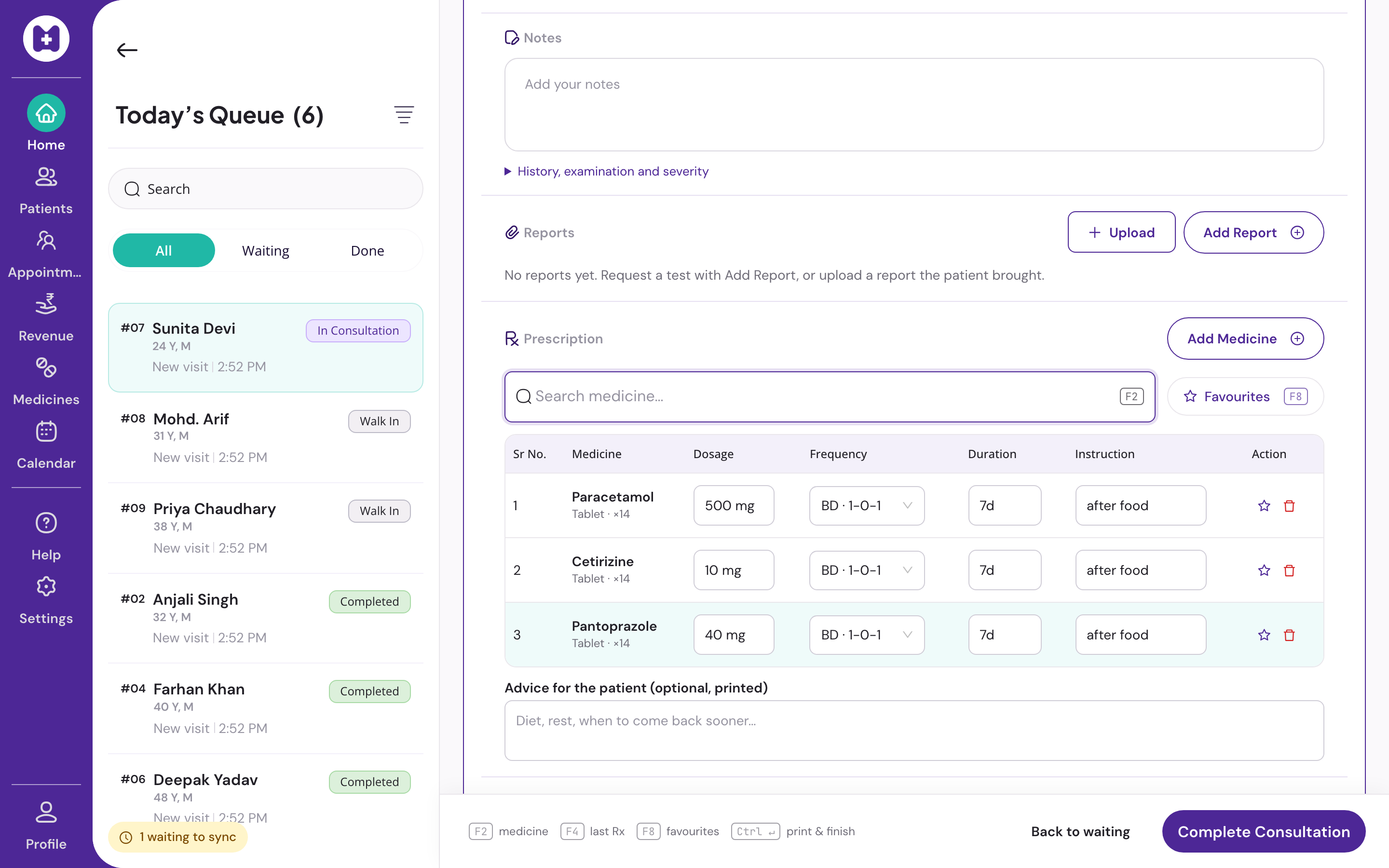
A repeat visit is three steps, Start, F4, Ctrl+Enter: the last prescription is copied, editable and printed. A new three-drug prescription fits on one 1366×768 screen with no scrolling, beside the patient's allergies, chronic conditions and last visit.
The pad works with no internet. Every keystroke is saved to the device at once, a reload after a crash restores it, and the print goes out from the device. Sync happens when the connection returns.
- Clinic medicines with your own short name, archived ones leave the pad
- Earlier versions of a visit visible to the doctor who wrote it
- Printable patient history with every past prescription
In Vitels
The pad, line by line
Keyboard-first
F2 add drug, F4 repeat last, F8 favourites, Ctrl+Enter save and print. Digits pick frequency chips. Hands stay on the keys.
Drug search
Search the shared list as you type, or add a clinic medicine with your own short name. Clinic medicines stay inside your clinic.
Favourites and templates
Favourite drugs and multi-drug templates for the conditions you see every day. Per doctor.
Quantity computed
For counted forms, quantity is computed from frequency and duration. Instructions in the doctor's words.
Your letterhead
Logo, qualifications and registration number on A4 or A5. No Medyzen branding, advertising, QR code or pharmacy reference on the page.
Every version kept
Autosave on every change. Same-day corrections become revisions. Any past prescription can be repeated from the patient's history.
Devanagari rendering
Hindi text renders correctly throughout, with bundled fonts that load offline.
No steering
No drug-interaction warnings, dosage checks, substitution prompts or sponsored suggestions. The prescription is the doctor's decision, recorded exactly.
Questions
Straight answers
01Is an e-prescription legally valid in India?
Vitels prints the prescription on your letterhead with your name, qualifications, registration number and the date. Sign it as you would a handwritten one. Some drugs and channels, such as Schedule X drugs or telemedicine, have their own requirements. We do not give legal advice; check the rules that apply to your practice.
02Can I send the prescription on WhatsApp?
Not today. WhatsApp send with an explicit confirmation step is on the roadmap and not live.
03Does it check drug interactions or doses?
No, and it will not. Clinical decision support is permanently out of scope. The software records your decision; it never influences it.
04Can I use brand names?
Yes. Search the shared list or add your own clinic medicine with the short name you use. Clinic medicines are local to your clinic.
05What paper sizes?
A4 or A5, with eight drug lines on one page. Prescription print layouts are set in admin.
06Does the pad work on a tablet?
Yes. On a desktop the three columns sit side by side; on a tablet the rails collapse into tabs.
Set up your clinic in about ten minutes.
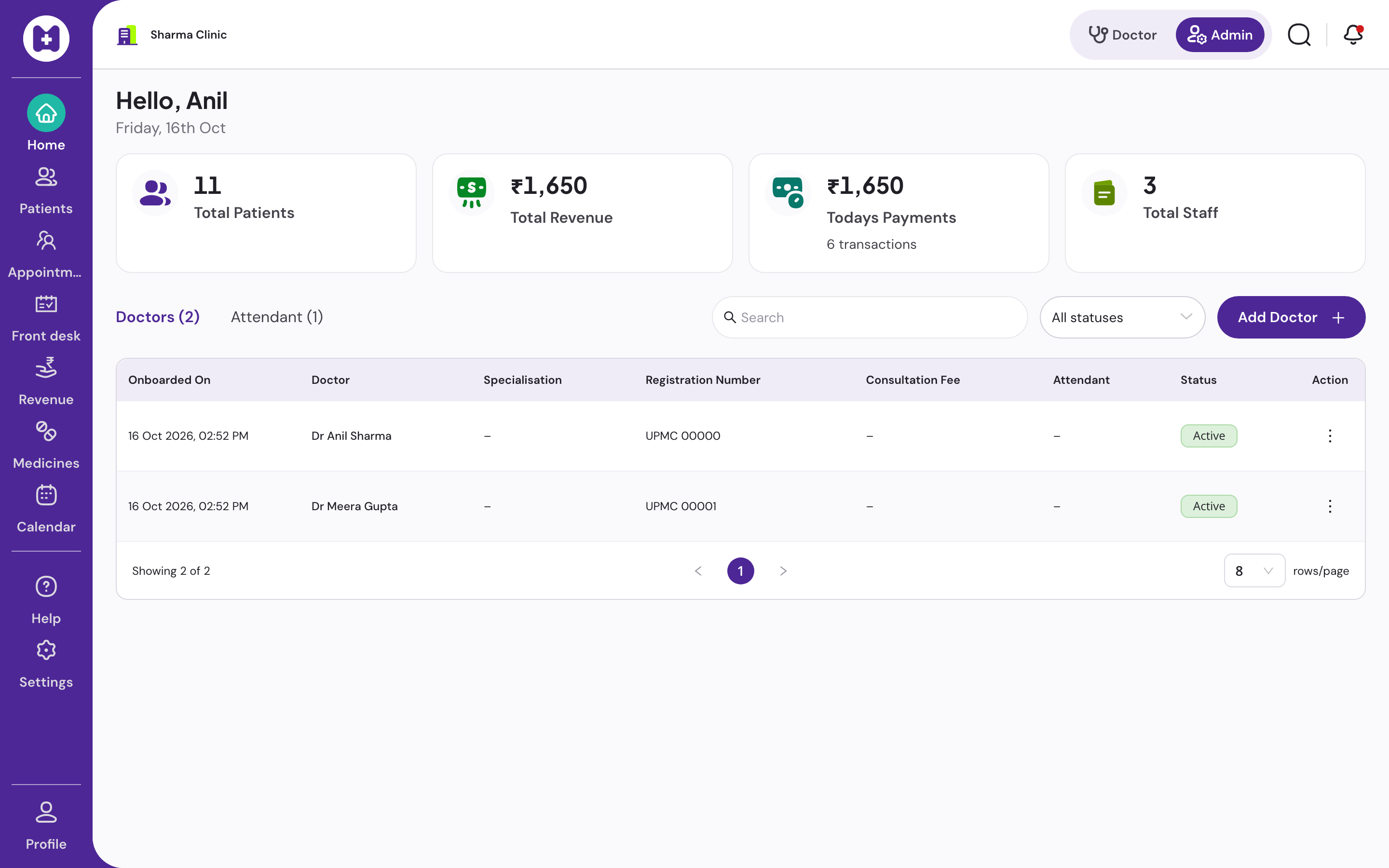
Sign in with your mobile number, enter the clinic details, and our team verifies your medical council registration before patient registration switches on. Usually one working day.
No card · No licence fee · Export any time