OPD management software
OPD management software for the whole outpatient day
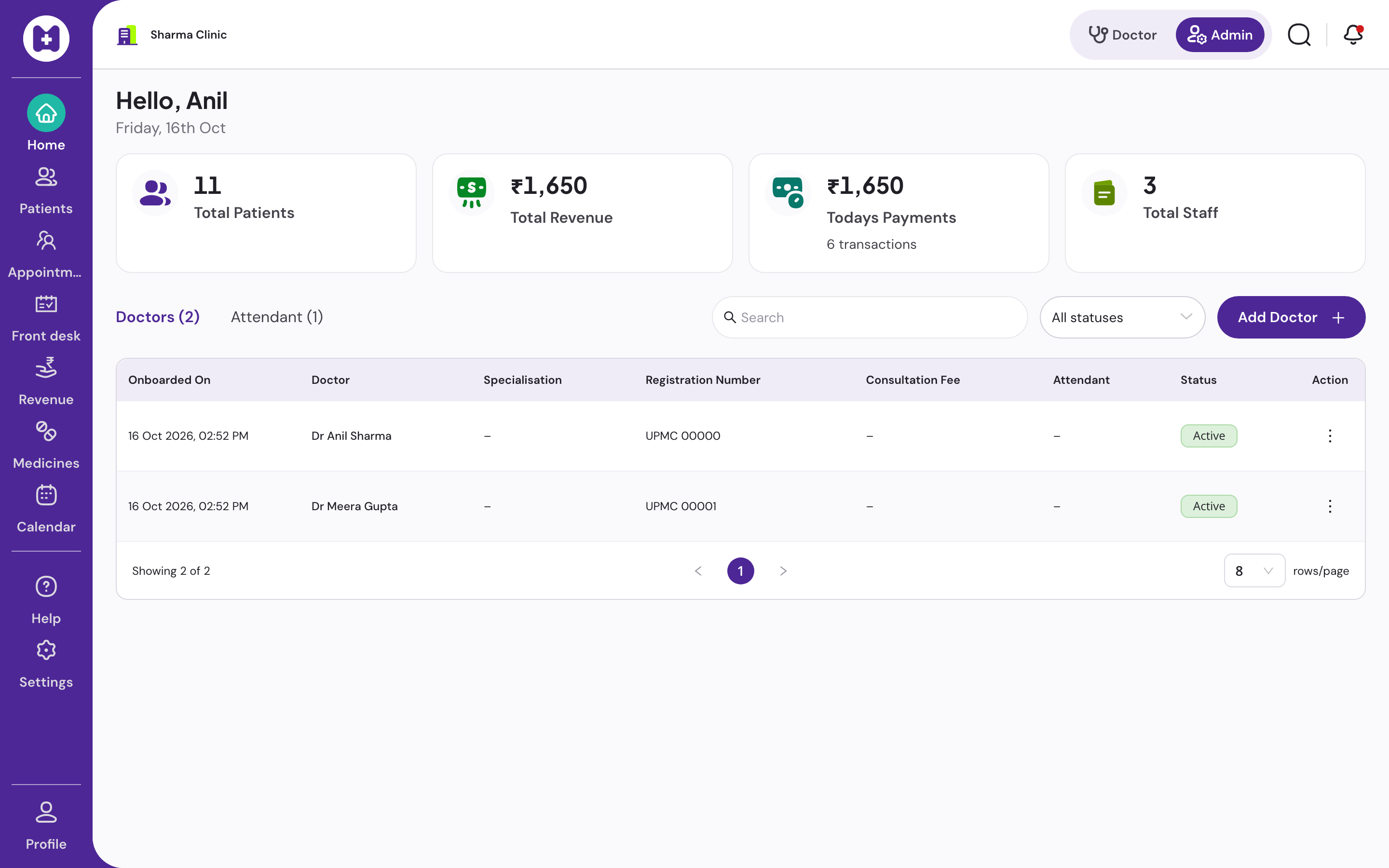
Register or find the patient, issue a token, call them in, write and print the prescription, take the fee, close the day book. Vitels runs the outpatient department of a small clinic end to end, on the desktop you already have, with or without internet.
At a glance
- Flow
- Register, token, consult, print, bill
- Tokens
- Daily, race-safe, shared live
- Doctors
- One or several, own queues
- Token slip
- Optional 80 mm, prints offline
- Day book
- A4, totals by payment mode
- Price
- No licence fee
What is OPD management software?
OPD management software handles the outpatient department's flow: registering walk-in and booked patients, issuing daily tokens, showing the doctor who is next, recording the consultation and prescription, collecting the consultation fee, and producing the day's totals. It is the clinic equivalent of a hospital OPD module, without inpatient, pharmacy or lab.
Why the queue is the heart of OPD software
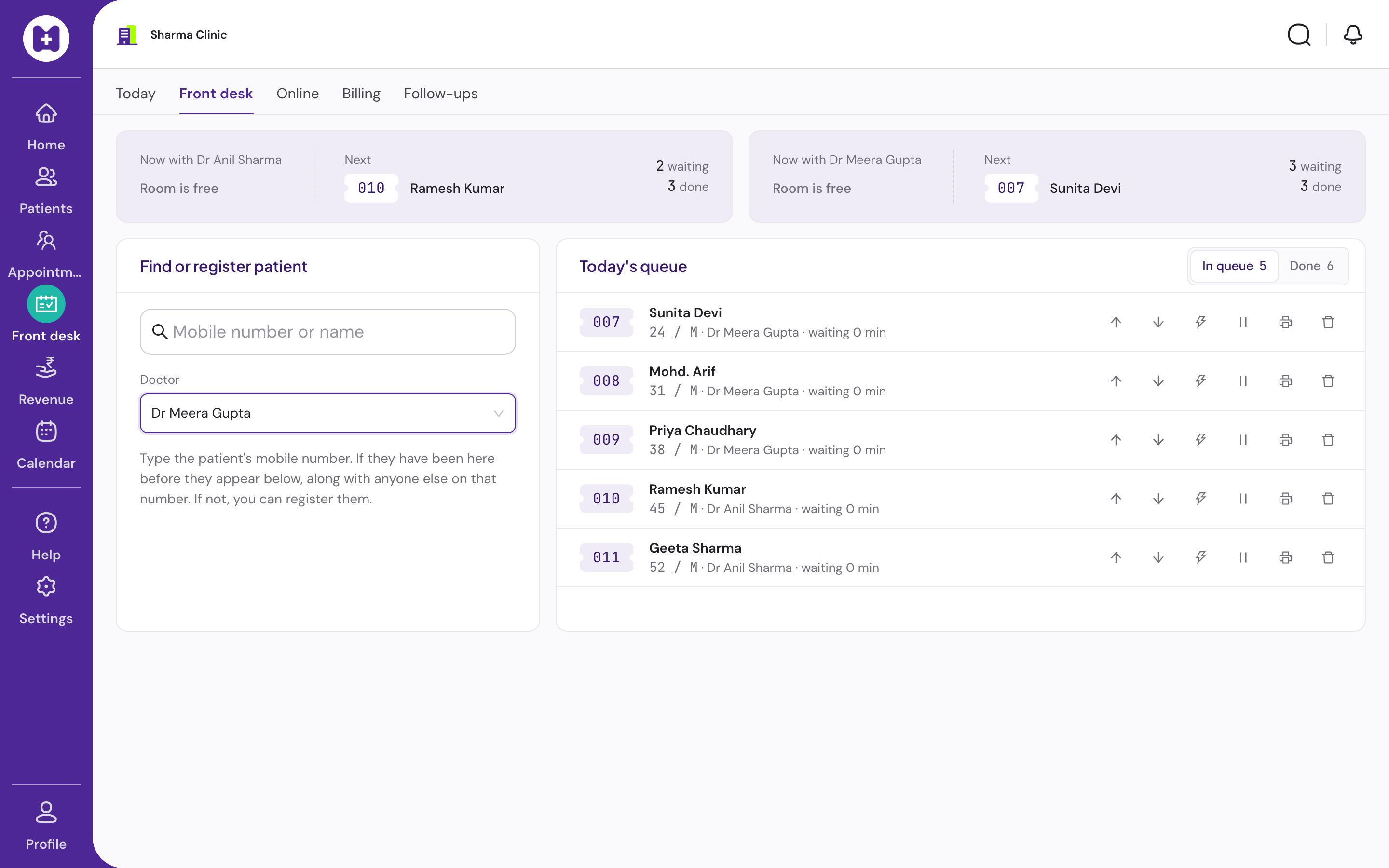
In a clinic with forty patients a morning, the queue is the only thing every person in the room cares about. Reception needs to issue tokens fast, hold a place for someone who stepped out, and move a priority case up. The doctor needs to see who is next without asking. The patient needs to know how long.
Vitels issues daily tokens that are safe when two receptionists click at the same second, shows the same queue on both screens within seconds, and prints an optional token slip with patients ahead and an approximate wait computed from that doctor's own minutes-per-patient.
What a hospital OPD module has that a clinic does not need
Hospital OPD modules sit on top of inpatient admission, pharmacy stock, lab orders, an insurance desk and a central billing counter. A single-doctor or three-doctor clinic pays for that complexity in training time and clicks.
Vitels keeps the OPD flow and leaves the rest out on purpose. There is no drug stock, no dispensing, no lab module and no inpatient. If your clinic needs those, read the comparison page before you decide.
- Front-desk appointment booking with check-in, reschedule and cancel
- Sessions with overlap checks, leave and closed days per doctor
- Follow-up due list for recalls
In Vitels
One outpatient day, step by step
Register or find
Type the phone number. Returning patients and family members appear. A new patient takes under a minute, with the registration notice read and recorded.
Daily token queue
Tokens issued per day, safe with two receptionists at once. Waiting, called, in consultation, done, skipped, stepped out. Reorder by drag or buttons.
Token slip
Optional 80 mm slip with token number, doctor, patients ahead and approximate wait from the doctor's minutes per patient. Prints offline, reprints from the queue.
Doctor assignment
Assign a token to a doctor; reception and the doctor's screen stay in step within seconds. Each doctor sees their current patient, the next three, and the rest collapsed.
Consultation
History, pad and queue on one screen. Write, save and print on Ctrl+Enter. The next token is one keystroke away.
Fee and receipt
Fee defaults per doctor or clinic. Cash, UPI or card. A5 receipt. Saved amounts cannot be edited, only voided with a reason.
Day book
A4 day book with totals by payment mode. Transactions searchable with filters, pagination and receipt download. Voids shown as voided.
Offline through the day
Queue, consultation, prescription print and billing all continue with no internet. Only new registration needs a connection.
Questions
Straight answers
01Does the doctor's screen update when reception changes the queue?
Yes, within seconds. The doctor sees the current patient, the next three and the rest collapsed, with one primary action.
02Can a patient who stepped out keep their place?
Yes. Mark them stepped out and their position is held. When they return, call them from where they were.
03Can two receptionists issue tokens at once?
Yes. Token numbers are issued safely under concurrent use, so two desks never hand out the same number.
04Do you print token slips?
Optionally, per clinic. The 80 mm slip carries the token, the doctor, patients ahead and an approximate wait. It prints offline and can be reprinted from the queue.
05Does OPD billing work offline?
Yes. Fees are recorded on the device and synced later. The receipt prints offline.
06What about appointments, not walk-ins?
Front-desk booking is live, with check-in, reschedule and cancel, inside sessions you define per doctor. Online payment for appointments is not offered.
Set up your clinic in about ten minutes.
Sign in with your mobile number, enter the clinic details, and our team verifies your medical council registration before patient registration switches on. Usually one working day.
No card · No licence fee · Export any time