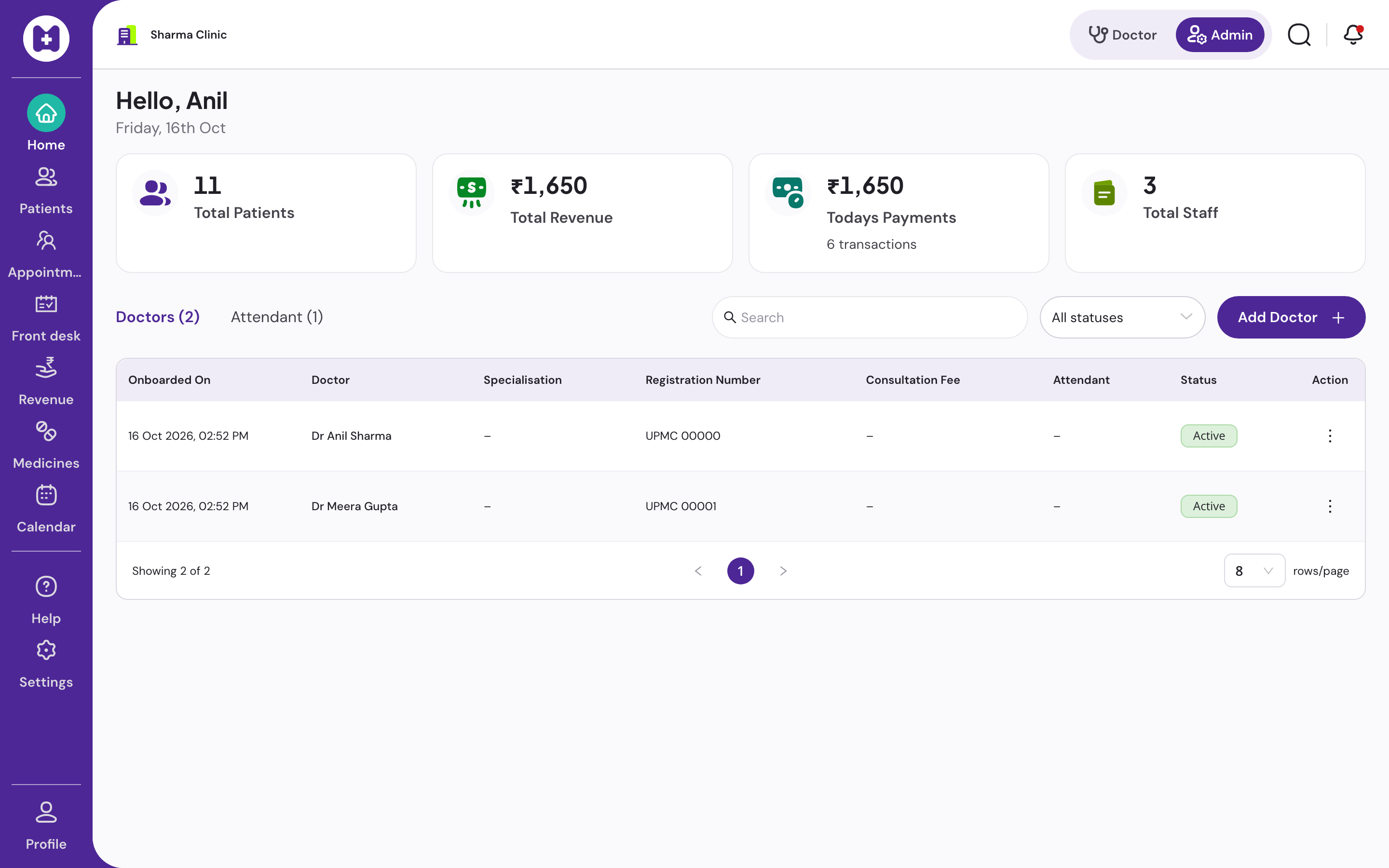
Doctor appointment software
Doctor appointment software for clinics where most patients still walk in
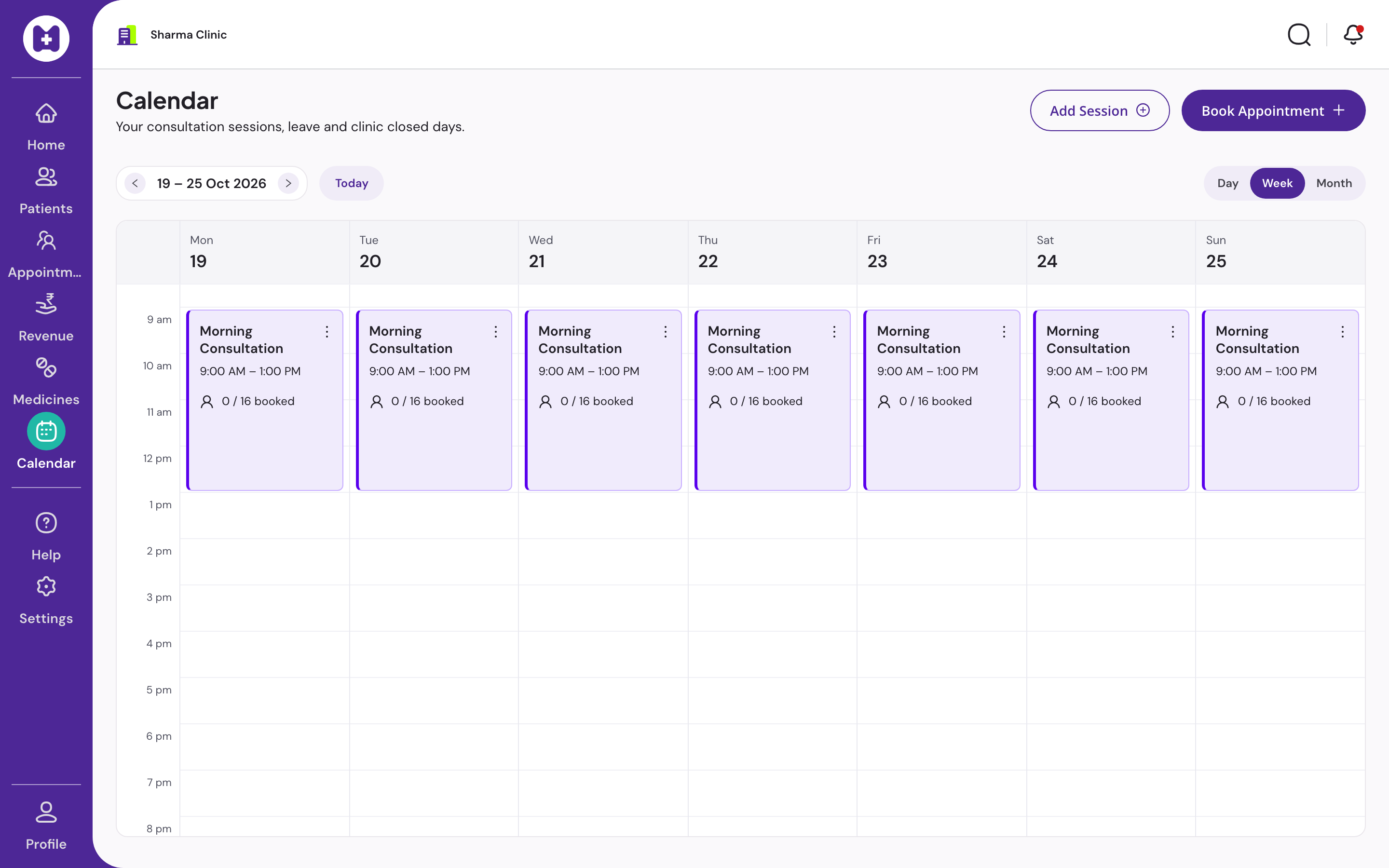
Indian clinics run on a mix of booked slots and walk-ins. Vitels gives the front desk a calendar with sessions, leaves and bookings, and feeds booked patients into the same daily token queue as walk-ins, so the doctor sees one list.
At a glance
- Booking
- At the front desk
- Views
- Day, week, month
- Sessions
- Per doctor, overlap-checked
- Walk-ins
- Same queue as bookings
- Online payment
- Not offered
- Price
- No licence fee
What does doctor appointment software do?
Doctor appointment software lets a clinic define when each doctor consults, book patients into those sessions, and handle the day's changes: check-in, reschedule, cancel, and no-shows. In a clinic that also takes walk-ins, it must feed bookings into the same queue the doctor works from, or the two lists fight each other.
Booked and walk-in patients on one list
Appointment software built for Western practices assumes every patient has a slot. In India a clinic may have six bookings and thirty walk-ins by noon. If the appointment list and the token queue are separate, reception juggles both and the doctor asks who is next.
Vitels treats a checked-in booking as a token in the day's queue, next to walk-ins. Reception can still move a booked patient up or hold a place for someone who stepped out. The doctor's screen shows one ordered list.
What is not here, and why
There is no patient-facing booking app, no online payment and no SMS or WhatsApp reminders today. Online payment for appointments is deliberately not offered today. WhatsApp sending is on the roadmap with an explicit confirmation step, and it is not live.
We would rather tell you this on the page than let you find out after moving your patients in. The features page lists only what is live.
In Vitels
Scheduling that fits a walk-in clinic
Calendar
Day, week and month views of every doctor's sessions, leaves and bookings.
Sessions and leaves
Define consulting sessions per doctor with overlap checks. Mark leave and closed days so the desk cannot book into them.
Book, check in, reschedule, cancel
The front desk books a patient into a session, checks them in on arrival, moves them or cancels. Each change is attributed to the staff member.
One queue for everyone
A checked-in booking becomes a token in the same daily queue as walk-ins. The doctor works one list.
Per-doctor duration
Each doctor's consultation duration and follow-up days are set in admin and drive slot length and recall dates.
Follow-up due list
Follow-ups set during consultation show up on a due list, so the desk can call patients back.
In-app notifications
Staff are notified inside the app from real events. Notification preferences are set per clinic.
No online payment
Online payment for appointments is deliberately not built. Patients pay at the desk, by cash, UPI or card.
Questions
Straight answers
01Can patients book online?
Not today. Booking is done at the front desk. Patient-facing online booking is not live.
02Can I take payment online for an appointment?
No. Online payment for appointments is not offered. Patients pay at the desk by cash, UPI or card and receive a printed receipt.
03Does it send SMS or WhatsApp reminders?
Not today. WhatsApp sending with explicit confirmation is on the roadmap and not live. We do not list roadmap items as features.
04How are walk-ins handled next to bookings?
A checked-in booking becomes a token in the same daily queue as walk-ins. Reception can reorder, mark priority or hold a place for anyone in the list.
05Can each doctor have different timings?
Yes. Sessions, leave and closed days are set per doctor, with overlap checks. Each doctor's consultation duration drives slot length.
06Does the calendar work offline?
Booking needs a connection. The day's queue, including checked-in bookings, continues offline.
Set up your clinic in about ten minutes.
Sign in with your mobile number, enter the clinic details, and our team verifies your medical council registration before patient registration switches on. Usually one working day.
No card · No licence fee · Export any time